
There is a particular kind of small-business paralysis that goes like this. You can't sell online until you have a website. You can't have a website until you've hired someone to build it. And you can't justify hiring someone until you're selling online. Months pass. Meanwhile you're taking orders in DMs, chasing bank transfers, and typing invoices into a word processor at eleven at night. The website was never the bottleneck. Getting paid was.
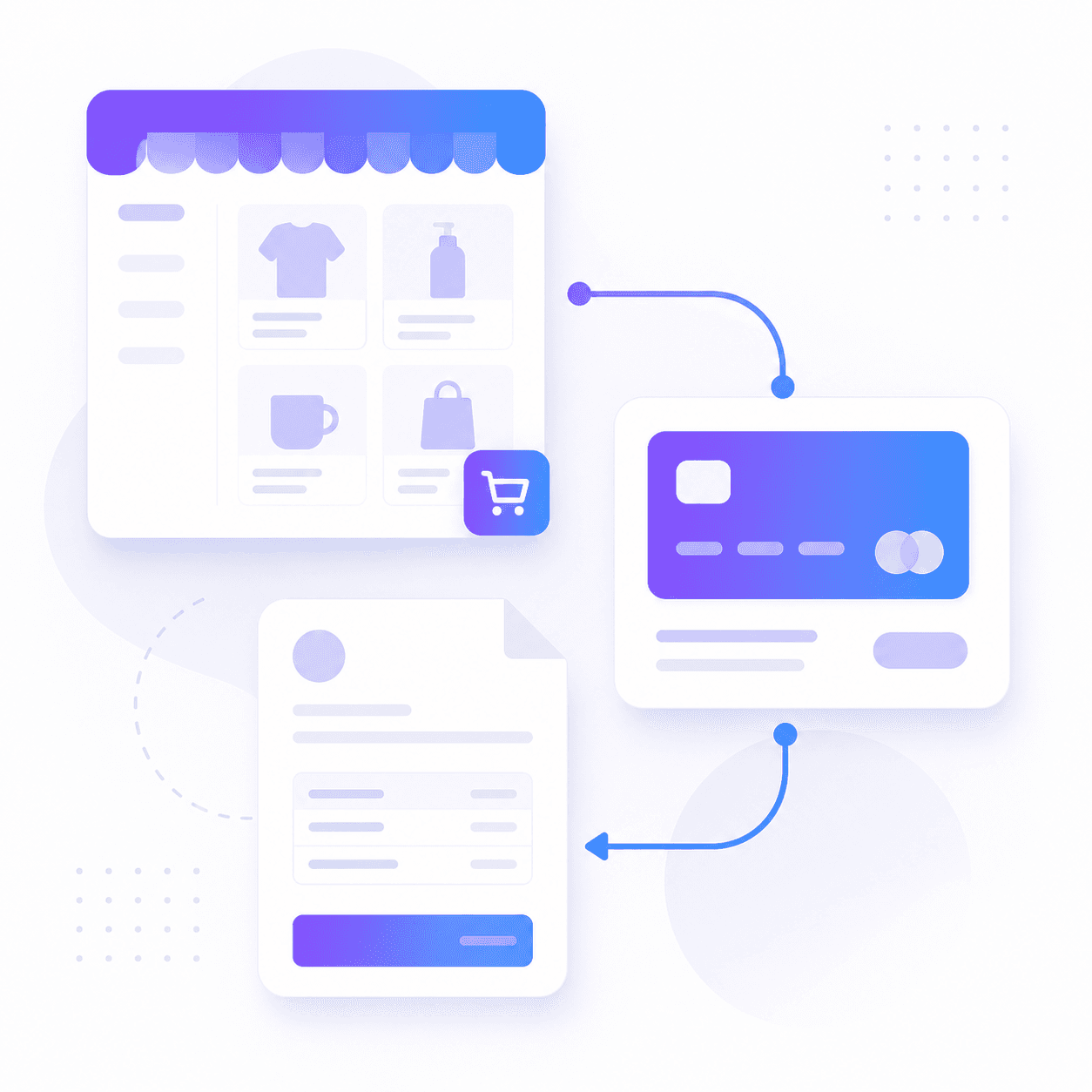
Flowpera's Products & Payments module skips the website entirely. You build a catalog, publish a storefront, connect your own Stripe account, and start taking cards — and every sale that comes through turns into a branded invoice without you touching a thing. Here's how the three pieces fit together, and what each one actually removes from your week.
A storefront is a page, not a project
Start with the catalog. Add each thing you sell — a product or a service — with a price, a description, an image and a category. Mark an item active to show it, or hide it without deleting it when you're out of stock or between seasons. That last part matters more than it sounds: most small businesses end up with a graveyard of half-deleted listings because their tools only offer 'delete'. Your whole offering lives in one place, and the things you're not selling this month are still there when you are.
Then publish the storefront. It's a public shop at your own address, with your headline and your accent colour, where a visitor can add items to a cart, adjust quantities and check out in a few taps. No account, no signup wall, no 'create a password to continue' — the fastest way to lose a sale. Because it's just a link, it works everywhere a link works: your Instagram bio, a WhatsApp reply, an email signature, a QR code on a printed menu or a shop window.
Your Stripe. Your money.
Payments run through your own Stripe account, not ours. The money goes straight to you and Flowpera never holds, processes or takes a cut of it. Your Stripe keys are encrypted at rest and are never shown back to the browser — not to your team, and not to you after you've saved them.
Take the payment where the customer already is
The shop isn't the only place you sell, and for a lot of service businesses it isn't even the main one. The sale usually happens at the moment somebody books a slot or submits an enquiry. So products can be attached to a booking form or a custom form too, and each form gets its own payment setting.
- 1
Pay to confirm
The slot or submission isn't final until the payment clears. A booking is held for you while the customer checks out, and if they abandon the checkout the hold expires and the slot goes back on your calendar automatically. Nobody has to remember to clean up after a half-finished purchase.
- 2
Invoice to pay later
The submission goes through immediately and an invoice is emailed for them to settle when they're ready. This is the right setting for work you quote before you deliver, or for regulars you'd rather not put behind a paywall.
- 3
No payment
Payment off entirely — the form behaves exactly as it always did. Worth saying, because turning a free enquiry form into a paid one should be a deliberate choice, not something that happens because you enabled a module.
In practice this is how you stop absorbing no-shows. Attach a deposit to your consultation form, set it to pay-to-confirm, and the calendar only fills with people who have put money down. You haven't added a step to your day — you've removed the one where you sit in an empty room at 3pm.
The invoice writes itself
Here's the part that quietly saves the most time. Every paid order generates a branded invoice automatically, using the same invoicing you already have: the same fifteen templates, the same logo, business details, accent colour and payment instructions. You don't open a second app, re-type the line items, or reconcile a shop against a bookkeeping tool at the end of the month.
The invoice mirrors the order's stored totals exactly, so it can never quietly disagree with what the card was actually charged — a discrepancy that is trivial to create when a shop and an invoicing tool are two separate subscriptions passing numbers between them, and genuinely painful to unpick a quarter later. And because your branding is snapshotted onto each invoice at the moment it's issued, redesigning your logo next year doesn't retroactively rewrite the receipts your customers already have.
And any invoice can be paid online
It works in the other direction too. Every invoice you send already lives on a private link that the recipient can open without an account. Once Stripe is connected, that page gains a Pay button — so an invoice stops being a request for a bank transfer somebody will action on Thursday, and becomes something that can be settled from a phone in about twenty seconds. It's marked paid the moment they do it.
Pair that with the reminder that goes out automatically the day before an invoice is due, and the whole collections routine — the one where you draft the polite email four times because you don't want to sound like you're nagging — mostly stops happening.
What this replaces
If you're currently running a service business online, some version of this stack is probably on your card statement right now:
- A website or store builder, so you have somewhere to list what you sell
- A separate checkout or payment-link tool for taking the money
- A scheduling tool that can't take a deposit, so you chase one manually
- An invoicing or accounting tool that doesn't know about any of the above
- A spreadsheet that exists purely to reconcile the four things above
The problem was never that any one of those tools is bad. It's that the seams between them are where your evenings go. A catalog, a storefront, paid forms and bookings, orders and invoices are all one system in Flowpera, so a sale that starts on your shop page and a sale that starts on your booking form end up in the same place, on the same invoice template, in the same records.
Two things to set up first
Building a catalog and publishing a storefront is available as a module. Charging cards through it needs two extra steps: connect your own Stripe account under Settings → API & Integration (owner-only, since credentials are an ownership matter), and make sure online payments is enabled on your plan. If you're not sure which applies to you, ask in chat — it answers any hour, and a person follows up within one business day.
You can have a working shop, a payment method and automatic invoicing running before lunch. Not a rebuild, not a project, not a quote from an agency — a catalog, a link you can share today, and one fewer job at eleven at night.